Swipe away clutter.
Free up space.
Photo Cleaner turns cleaning your iPhone camera roll into a quick, satisfying game. Swipe left to delete, right to keep — and let smart piles find the junk for you.
For iPhone · iOS 15 or later · No account needed
Everything you need to reclaim your storage
Thousands of photos you'll never look at again are eating your iPhone storage. Photo Cleaner finds them and makes letting go easy.
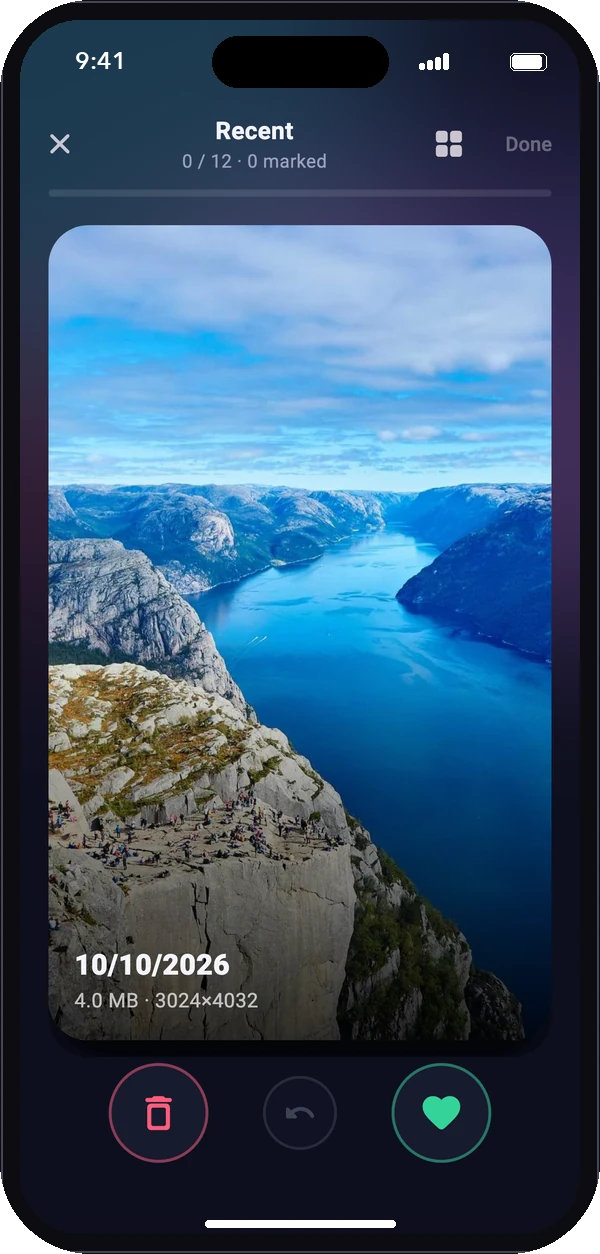
Left to delete.
Right to keep.
Review your library one photo at a time with a simple swipe. It's fast, oddly satisfying, and you can undo any swipe.
- Short rounds you can finish in a coffee break
- Tap any video to play it before deciding
- Nothing is deleted until you confirm the round
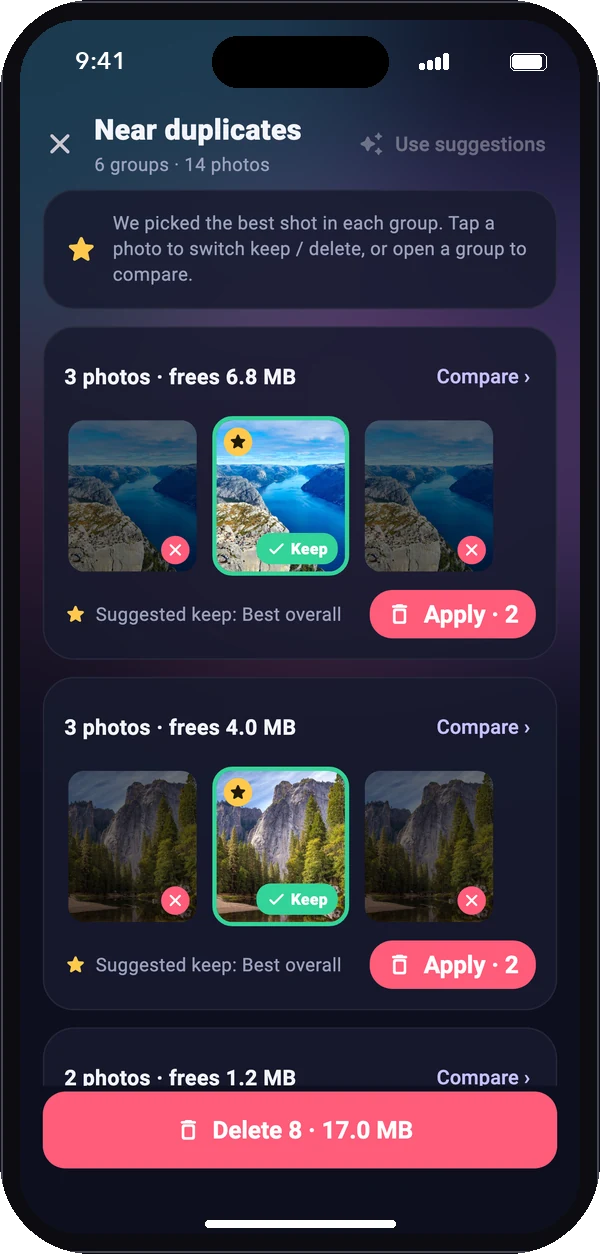
Keep the best shot.
Lose the rest.
Burst shots and “just one more” photos pile up fast. Photo Cleaner groups near-identical photos and suggests the sharpest one — with the best faces — to keep.
- Compare shots side by side, full screen
- Apply each group with a single tap
- Face quality checked on-device with Apple Vision
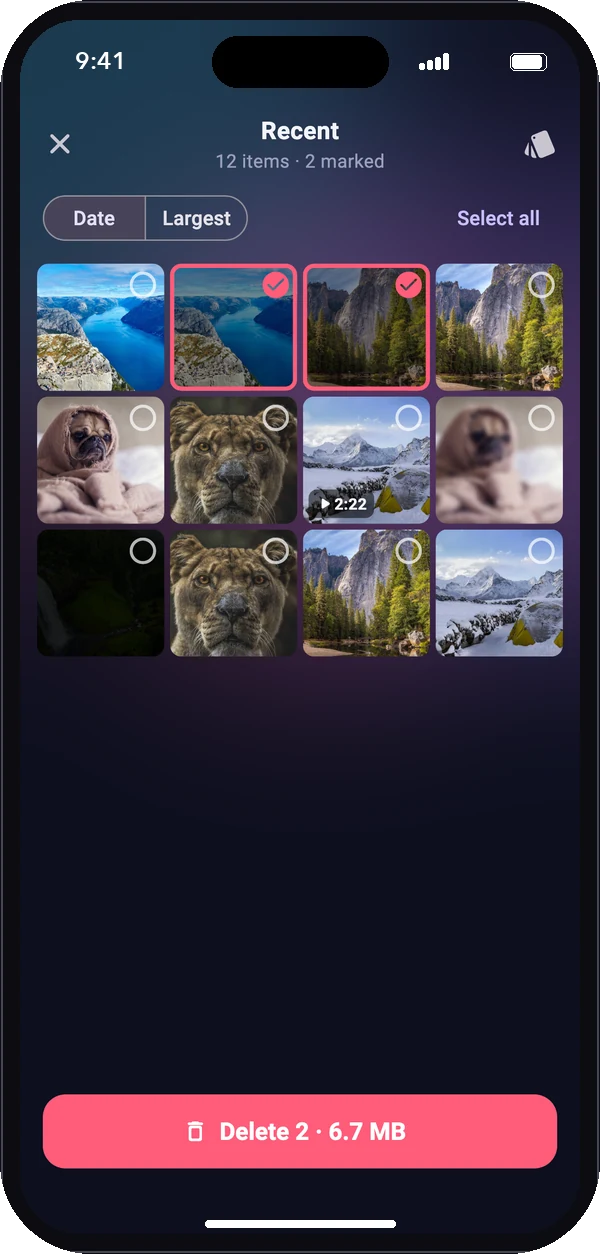
Clean in bulk
when you're in a hurry.
Prefer to see everything at once? Switch any pile to a multi-select grid, sort by size, and delete dozens of items in one go.
- Sort by date or largest first
- Long-press to preview photos and videos
- Switch between swipe and grid anytime
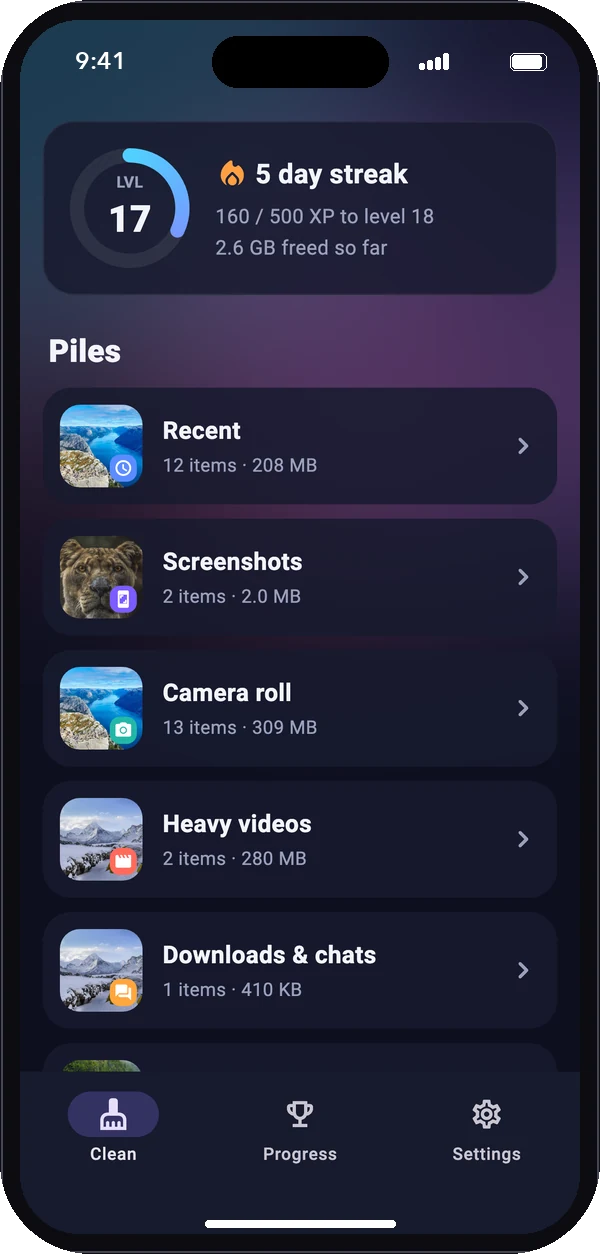
The junk, already sorted for you.
Photo Cleaner organises your library into piles so you can start with whatever frees the most space.
- Screenshots, heavy videos and chat downloads
- Blurry and dark shots
- Old photos you haven't seen in years
Made to keep you going
A tidy library is a habit, not a one-off chore.
See what you saved
Every round shows exactly how many megabytes and gigabytes you freed.
Streaks & XP
Level up, unlock badges and keep your daily streak alive.
Gentle reminders
An optional daily nudge — sent locally, no account or server.
Video aware
Find the huge videos that take up the most room and watch before you delete.
Your pace
Pick rounds of 10 to 100 photos, with haptic feedback on every swipe.
Always reversible
Deleted items go to Recently Deleted, where iOS keeps them for 30 days.
🔒 Private by design
Every scan runs entirely on your iPhone. No account, no servers, no analytics, no ads. Your photos never leave your device.
Read our privacy policyFrequently asked questions
Does Photo Cleaner upload my photos?
No. All analysis — duplicates, blur, darkness and face quality — happens on your iPhone. The app has no server and does not send your photos or their details anywhere.
Can I get back a photo I deleted by mistake?
Yes. Deleted photos and videos go to Photos › Albums › Recently Deleted, where iOS keeps them for 30 days. Open it, select the item and tap Recover.
Why does the app need “Full Access” to my photos?
To find duplicates and clutter across your whole library, Photo Cleaner has to see every photo. With limited access it can only review the photos you selected.
Will it delete anything without asking?
Never. You choose what to delete, and every deletion is confirmed in Apple's own system dialog.
Does it work with iCloud Photos?
Yes. Photo Cleaner works with the same library you see in the Photos app. Deleting a photo removes it from iCloud Photos on all your devices — exactly like deleting it in Photos — and it stays in Recently Deleted for 30 days.